Epicurean Design System
A unified framework for unified framework for visual design, interaction, and accessibility at Resy
A unified framework for unified framework for visual design, interaction, and accessibility at Resy
A unified framework for unified framework for visual design, interaction, and accessibility at Resy
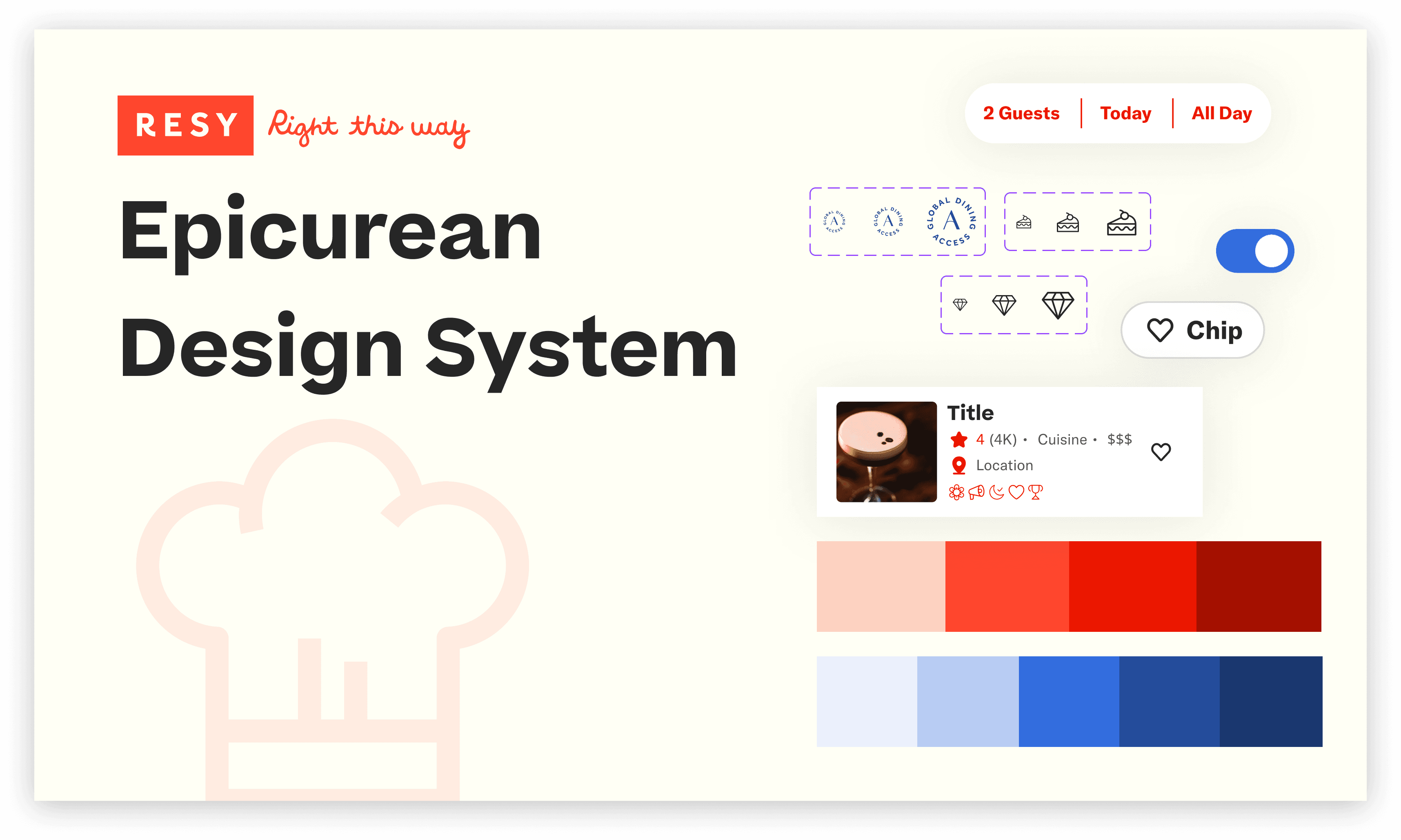
Design System
Design System
UI Kit
UI Kit
Resy is a global dining platform that brings together restaurant discovery, reservations, and dining culture. Epicurean is a conceptual design system created to support consistency, accessibility, and scale across Resy’s diner-facing experiences.
ROLE
ROLE
Website Deconstruction, UI Kit Design, Design System, Documentation
Website Deconstruction, UI Kit Design, Design System, Documentation
TOOL STACK
TOOL STACK
Figma · Zero Height
Figma · Zero Height
DURATION
DURATION
4 Months
4 Months
TEAM
TEAM
Claire Jen · Myra Chen
Claire Jen · Myra Chen
Design System
UI Kit
UI Kit
Resy is a global dining platform that brings together restaurant discovery, reservations, and dining culture. Epicurean is a conceptual design system created to support consistency, accessibility, and scale across Resy’s diner-facing experiences.
ROLE
Website Deconstruction, UI Kit Design, Design System, Documentation
TOOL STACK
Figma · Zero Height
DURATION
4 Months
TEAM
Claire Jen · Myra Chen
Polished on the outside,
fragmented on the inside
Polished on the outside, fragmented on the inside
Polished on the outside,
fragmented on the inside
At first glance, Resy’s product feels expressive and intentional. The brand voices strong. The food photography is rich. The experience feels curated. But when we stepped back and audited the diner facing flows, delivery, reservation, editorials, a different picture emerged.
The design language wasn’t fully unified below the surface.
At first glance, Resy’s product feels expressive and intentional. The brand voices strong. The food photography is rich. The experience feels curated. But when we stepped back and audited the diner facing flows, delivery, reservation, editorials, a different picture emerged.
The design language wasn’t fully unified below the surface.
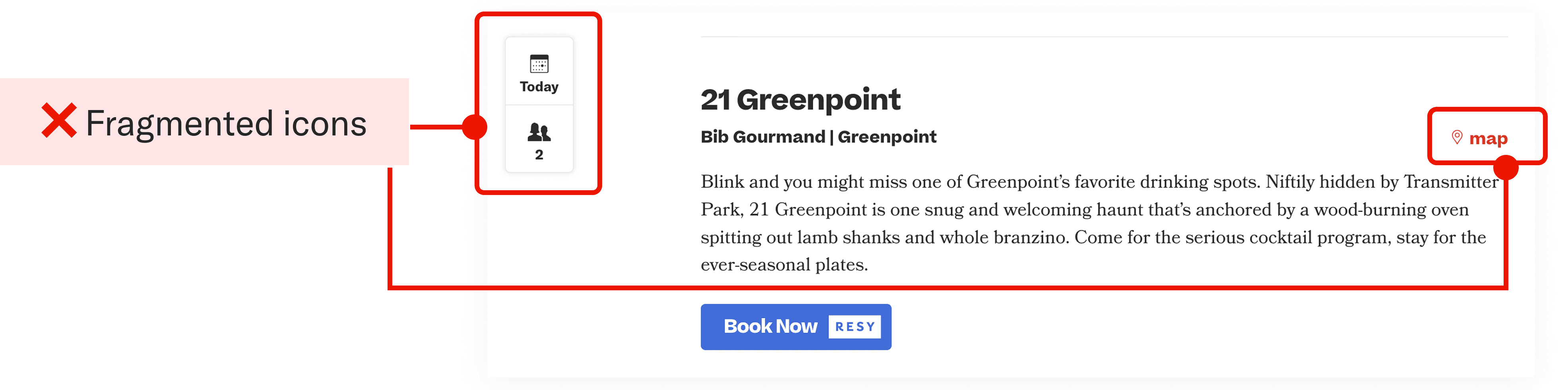
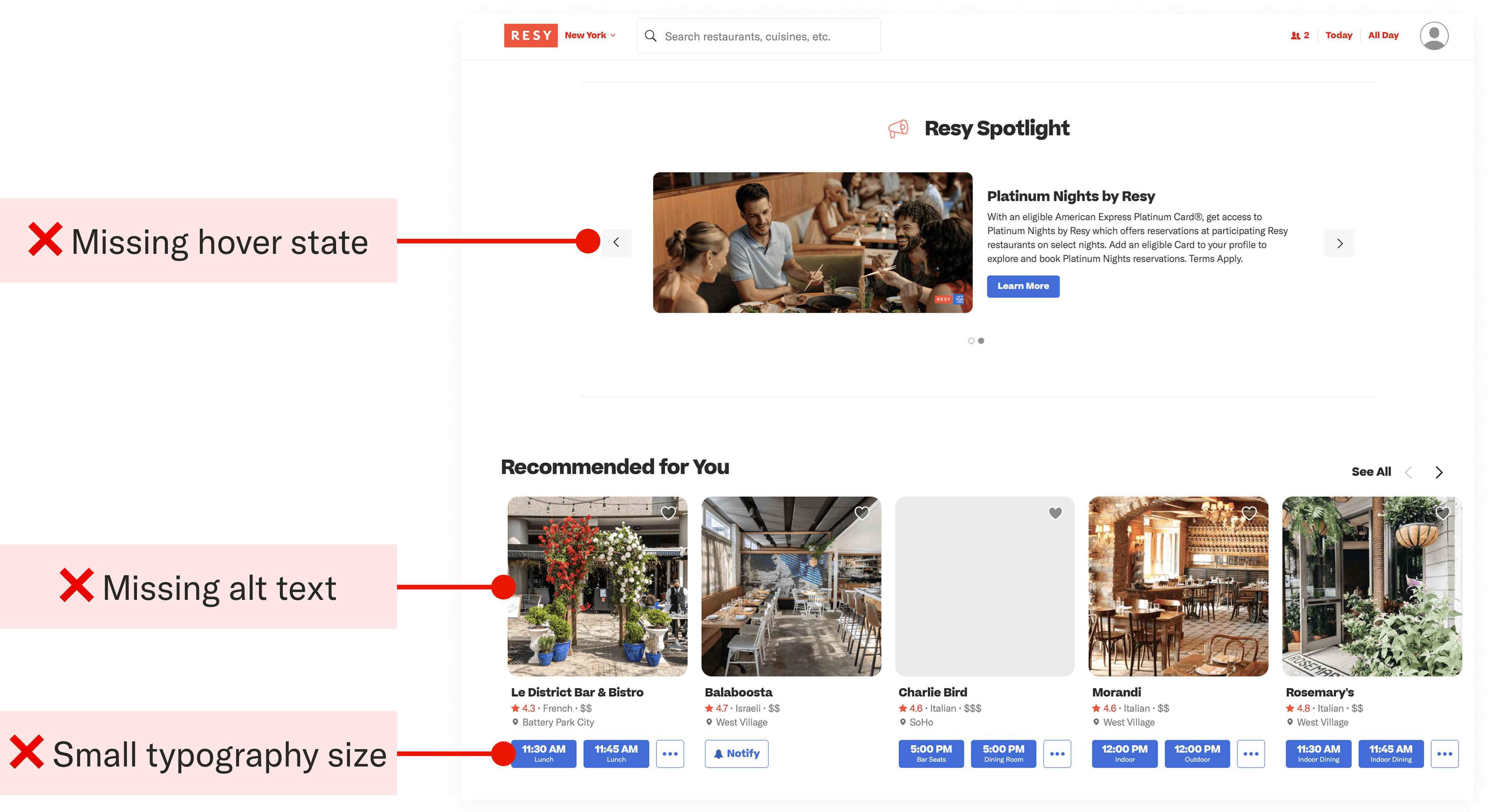
How might we standardize Resy’s design patterns while preserving its unique brand voice?
How might we standardize Resy’s design patterns while preserving its unique brand voice?
Introducing Epicurean
Introducing Epicurean
Introducing
Epicurean
Epicurean is a conceptual design system built for Resy. It creates a shared foundation that supports consistency, accessibility, and collaboration without changing Resy’s existing identity.
An “Epicurean” is someone who enjoys fine food and sensory experiences with refinements, not excess. Just as Resy connects diners to their next favorite restaurant, our design system will deliver these refined digital experiences through thoughtful and consistent design. It means precision in every component, quality in every interaction, and a design language that feels sophisticated and effortless, just like a perfect meal.
Epicurean is a conceptual design system built for Resy. It creates a shared foundation that supports consistency, accessibility, and collaboration without changing Resy’s existing identity.
An “Epicurean” is someone who enjoys fine food and sensory experiences with refinements, not excess. Just as Resy connects diners to their next favorite restaurant, our design system will deliver these refined digital experiences through thoughtful and consistent design. It means precision in every component, quality in every interaction, and a design language that feels sophisticated and effortless, just like a perfect meal.


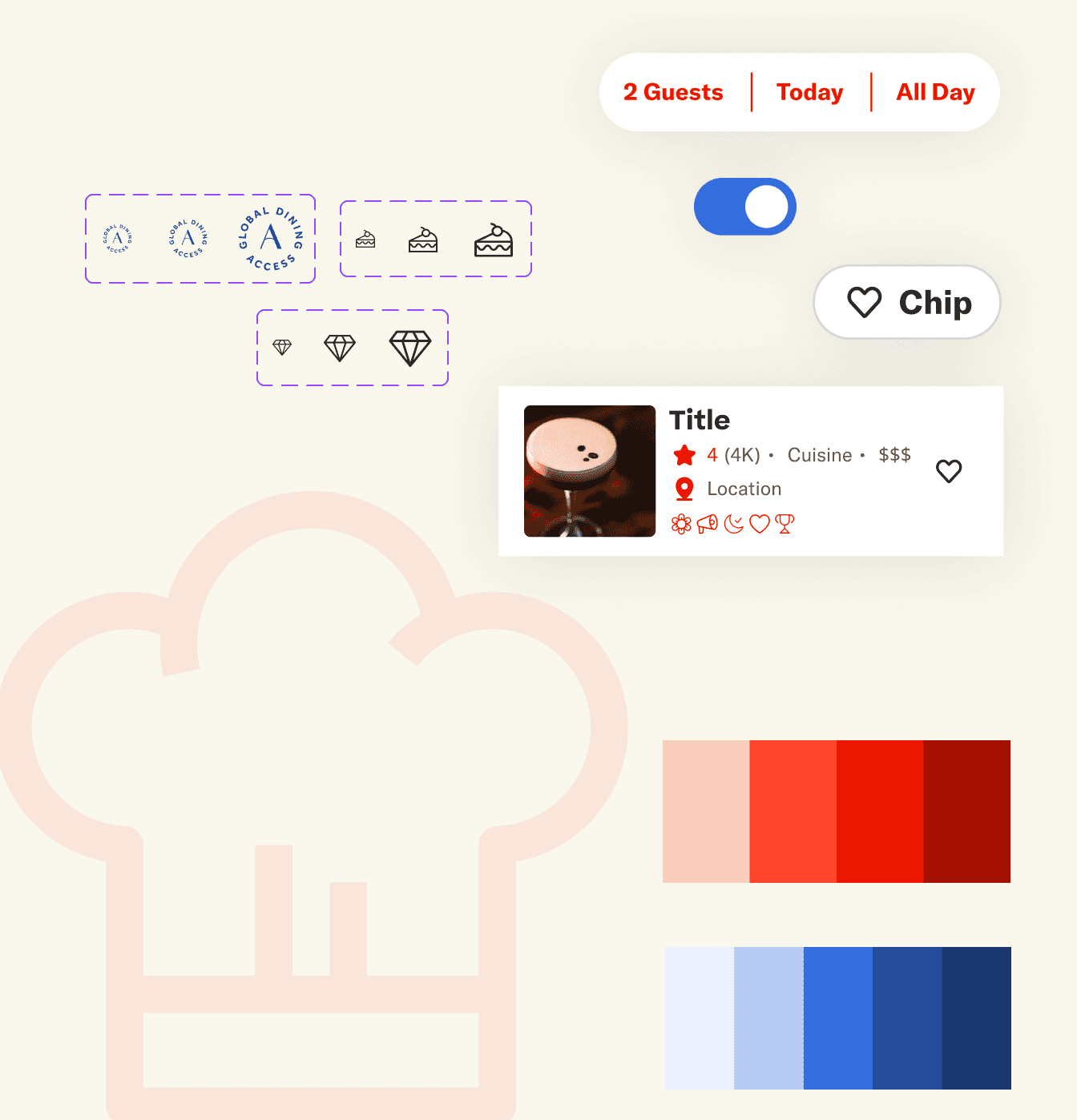
Epicurean Toolkit
Epicurean Toolkit
Epicurean Toolkit
We faced significant challenges between Flexibility (giving designers freedom) and Convenience (giving them speed).
We faced significant challenges between Flexibility (giving designers freedom) and Convenience (giving them speed).
How granular should we get?
How granular should we get?
How granular should we get?
If we make components too flexible, they break consistency and if too rigid then the designer wouldn’t want to use it. To solve this, we organized Epicurean into three tiers:
If we make components too flexible, they break consistency and if too rigid then the designer wouldn’t want to use it. To solve this, we organized Epicurean into three tiers:



Accessibility built into the system
Accessibility built into the system
Accessibility built
into the system
Our early audit flagged issues with interactive states and color usage, so we shifted to treating accessibility as a foundational system rather than a final checklist. We built WCAG 2.2 AA compliance directly into our typography, color, tokens, and interaction models so that accessibility was inherited automatically rather than relying on individual decisions.
Our early audit flagged issues with interactive states and color usage, so we shifted to treating accessibility as a foundational system rather than a final checklist. We built WCAG 2.2 AA compliance directly into our typography, color, tokens, and interaction models so that accessibility was inherited automatically rather than relying on individual decisions.
Epicurean Principles
Epicurean Principles
The power of Epicurean is driven by five core principles.
Efficiency
Efficiency
Accelerate feature delivery with reusable assets.
Accelerate feature delivery with reusable assets.
Consistency
Consistency
Ensure a cohesive user experience and reduce decision fatigue.
Ensure a cohesive user experience and reduce decision fatigue.
Frugality
Frugality
Minimize waste by prioritizing simplicity and reusability.
Minimize waste by prioritizing simplicity and reusability.
Transparency & Clarity
Transparency & Clarity
Foster trust and ease of use through clear documentation.
Foster trust and ease of use through clear documentation.
Accessibility & Inclusivity
Accessibility & Inclusivity
Commit to WCAG compliance and thoughtful diversity from the start.
Commit to WCAG compliance and thoughtful diversity from the start.
Documentation on Zeroheight
Documentation on Zeroheight
Documentation
on Zeroheight
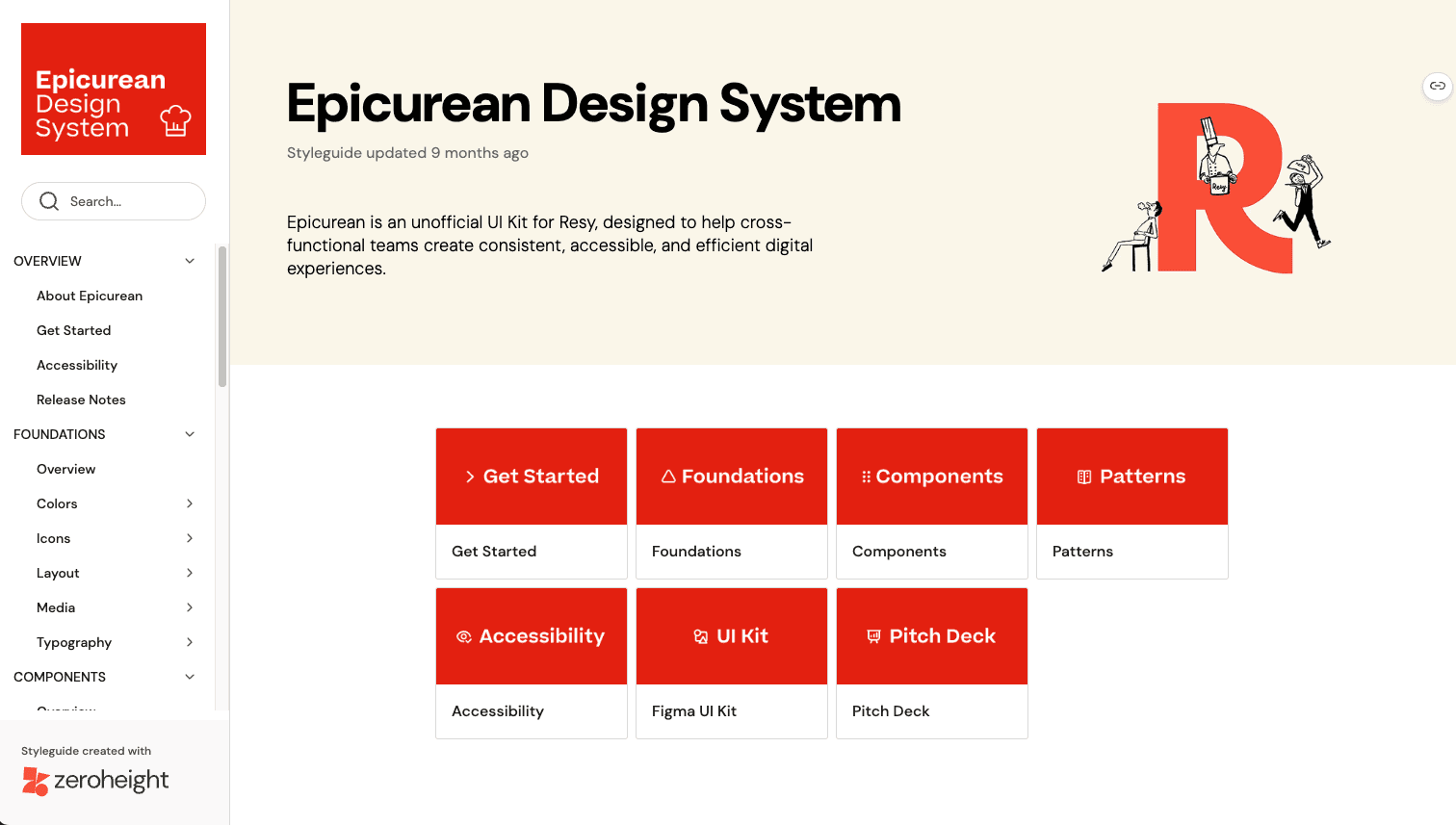
To make Epicurean usable, the design system was documentated in Zeroheight. The goal was to eliminate the endless Slack messages asking “What font size is this?” by making design decisions clear, documented, and directly translatable to implementation.
To make Epicurean usable, the design system was documentated in Zeroheight. The goal was to eliminate the endless Slack messages asking “What font size is this?” by making design decisions clear, documented, and directly translatable to implementation.
Epicurean Design System Documentation in Zero Height
Epicurean Design System Documentation in Zero Height
Making Design System Documentation Accessible
Making Design System Documentation Accessible
Making Design System Documentation Accessible
Each component were documented with detailed introductions paired with visual examples and clear usage guidelines. Every component page includes practical sections covering When to Use, Configuration Options were applicable, and Implementation Best Practices. We structured the information architecture to be intuitive and scannable, using plain language that serves both designers and developers. Visual do's and don'ts illustrate proper component applications.
Each component were documented with detailed introductions paired with visual examples and clear usage guidelines. Every component page includes practical sections covering When to Use, Configuration Options were applicable, and Implementation Best Practices. We structured the information architecture to be intuitive and scannable, using plain language that serves both designers and developers. Visual do's and don'ts illustrate proper component applications.
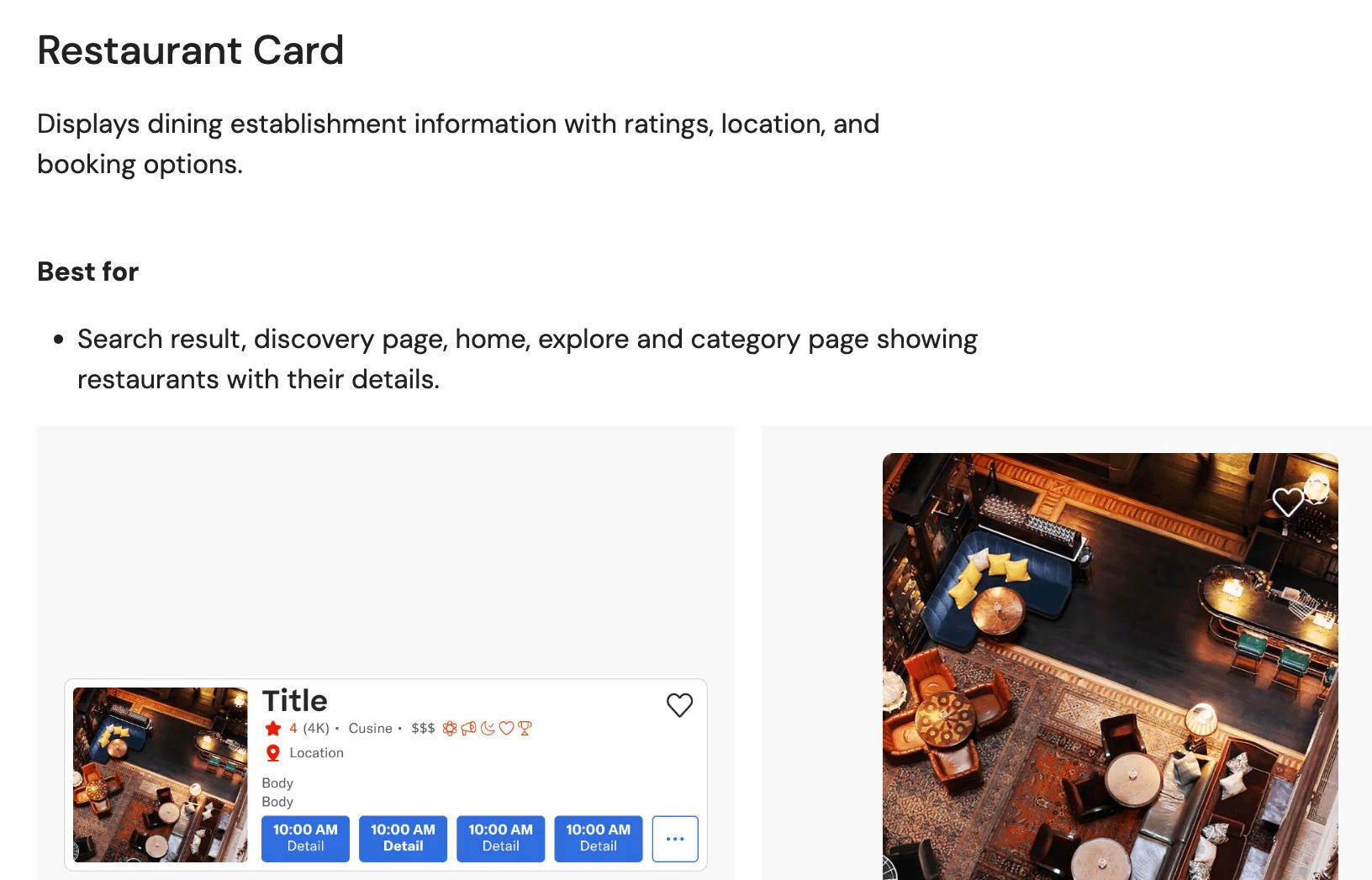
Components & patterns overview
Components & patterns overview
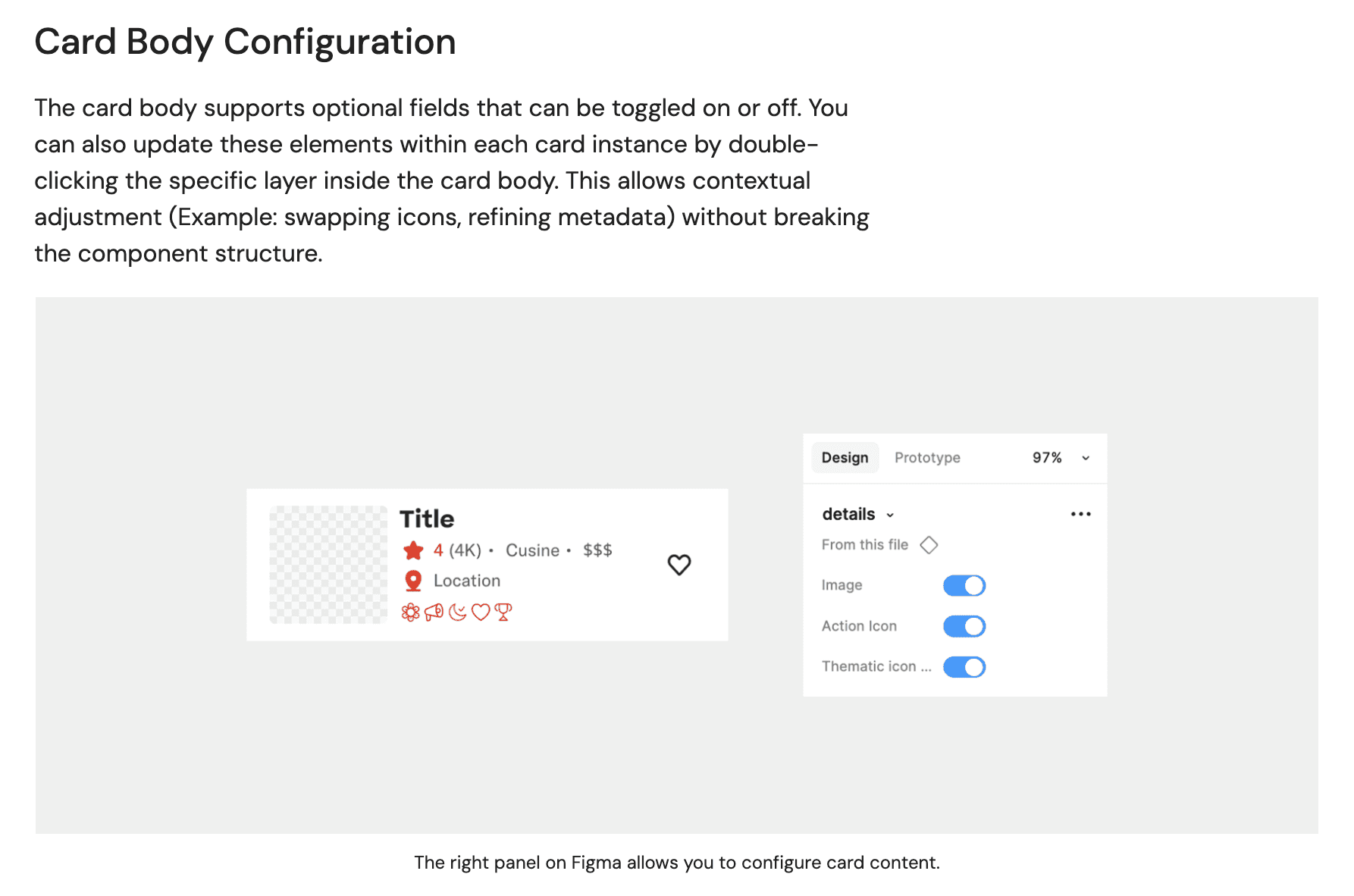
Configuration guide
Configuration guide
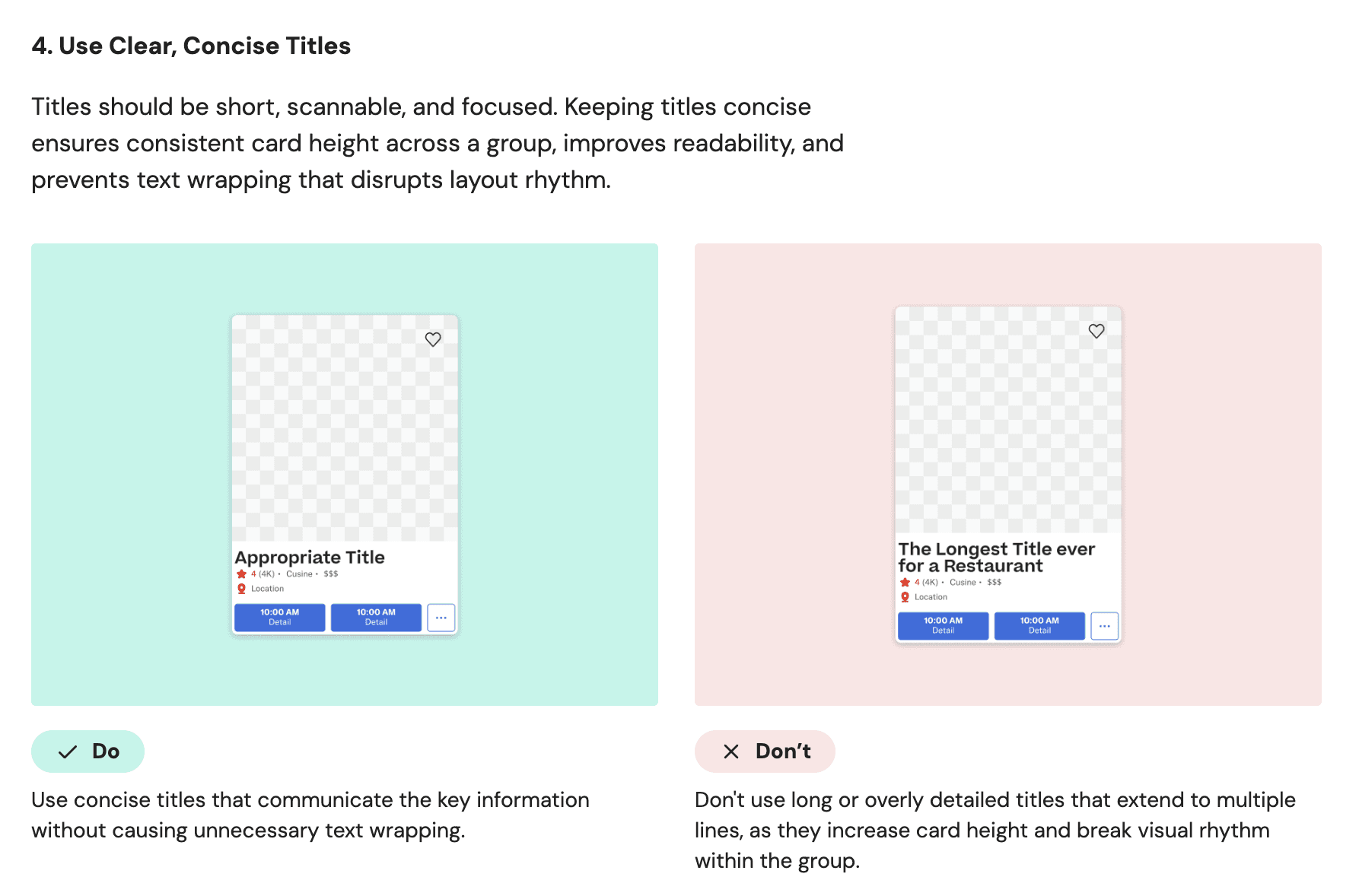
Usage guidelines
Usage guidelines
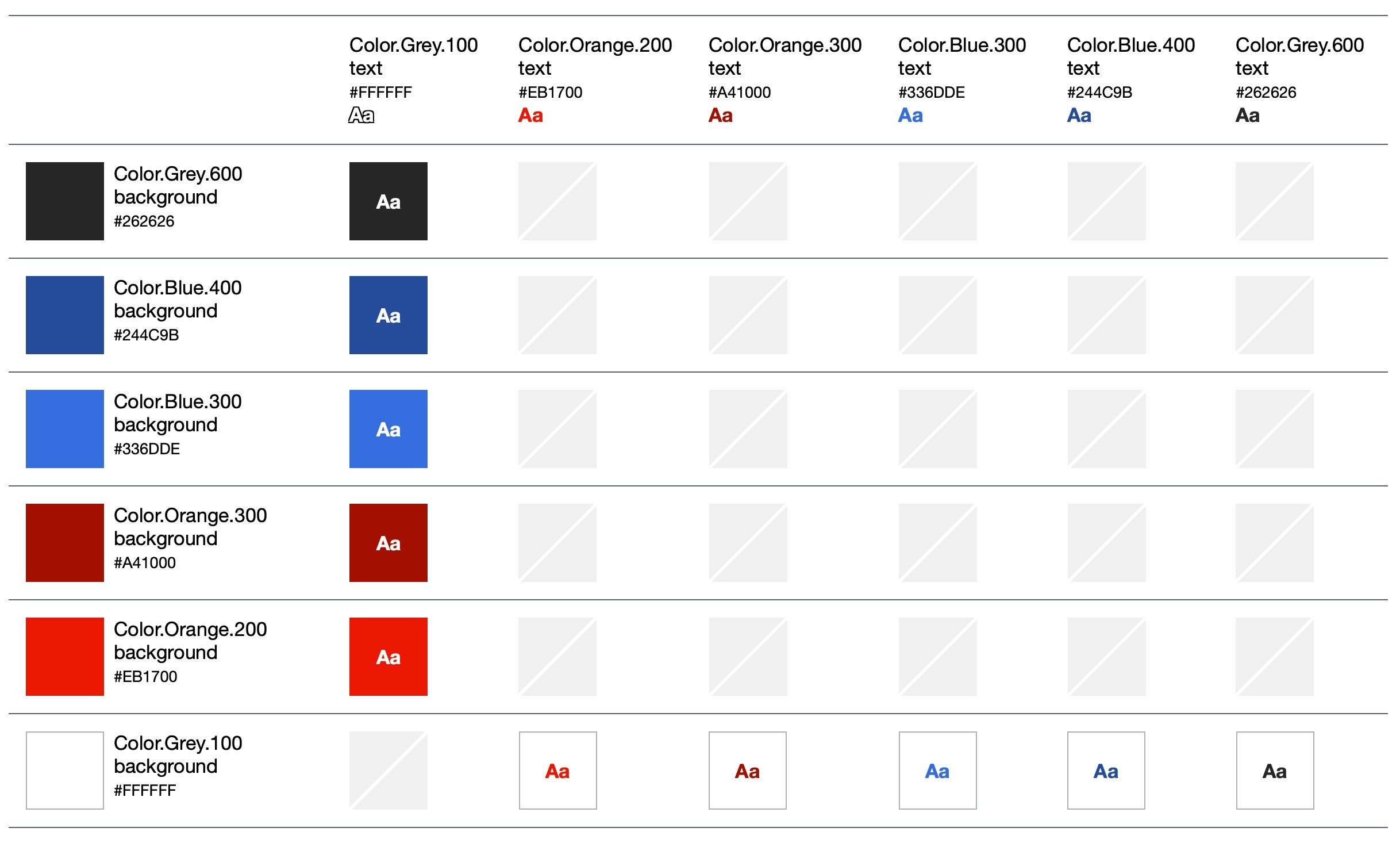
Accessibility standards
Accessibility standards
Exploration can be messy but rebuilding established components shouldn’t be.
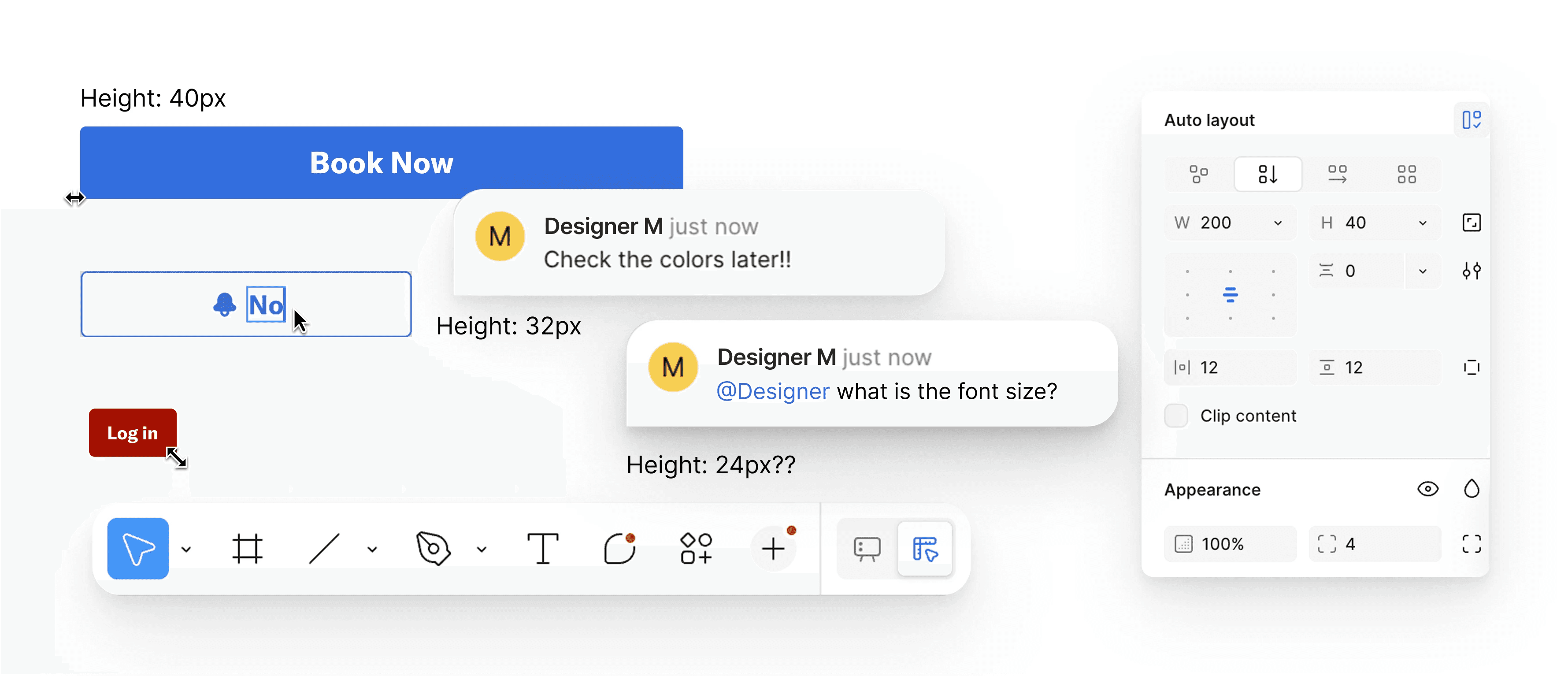
Messy Design Board: Rebuilding established components shouldn’t require guesswork.
Messy Design Board: Rebuilding established components shouldn’t require guesswork.
How was Epicurean Created?
Step 1
Deconstructed the current Resy website
Deconstructed the current Resy website
Audited existing UI to uncover inconsistencies and gaps.
Audited existing UI to uncover inconsistencies and gaps.

Step 2
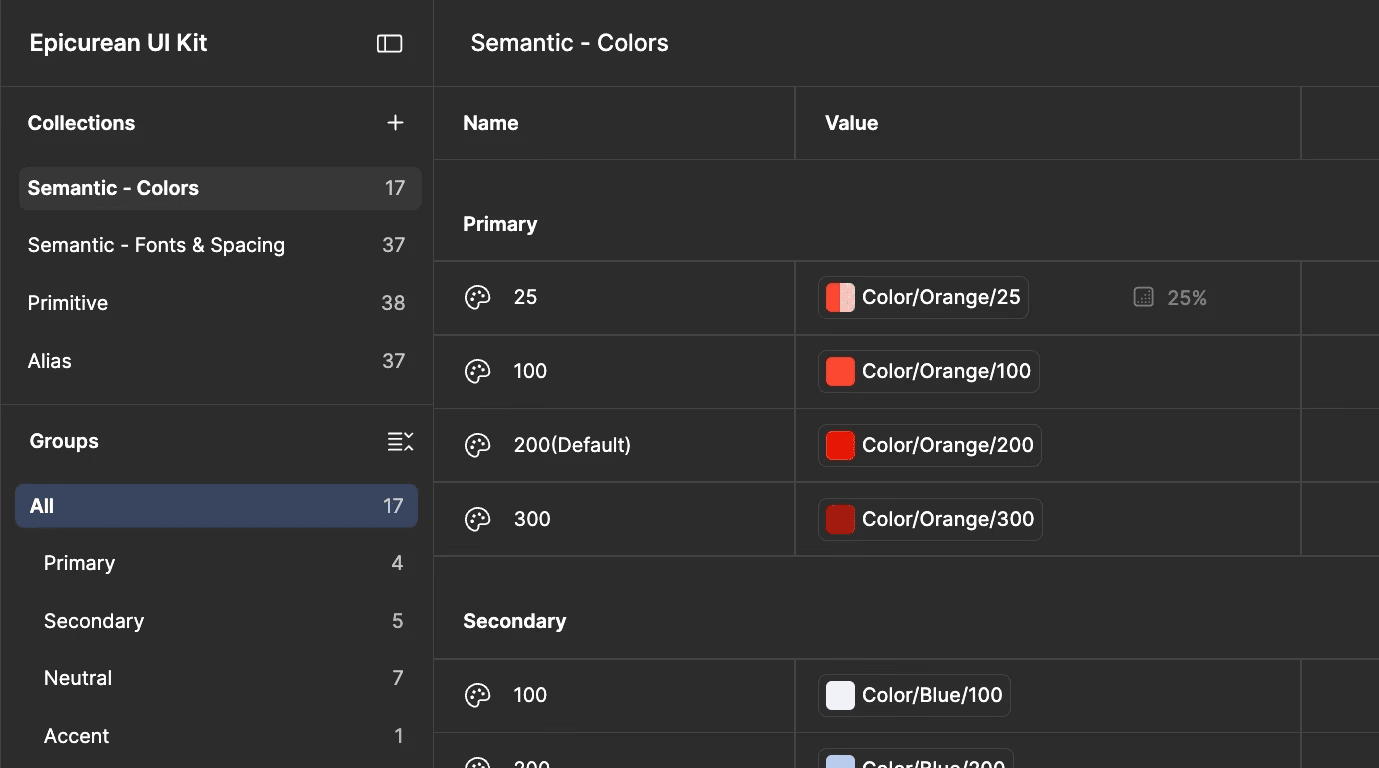
Set up accessible token
See what shaped his eye
Defined accessible typography tokens that meet WCAG-complaint standards
Defined accessible typography tokens that meet WCAG-complaint standards
Step 3
Built components and patterns in UI kit
Built components and patterns in UI kit
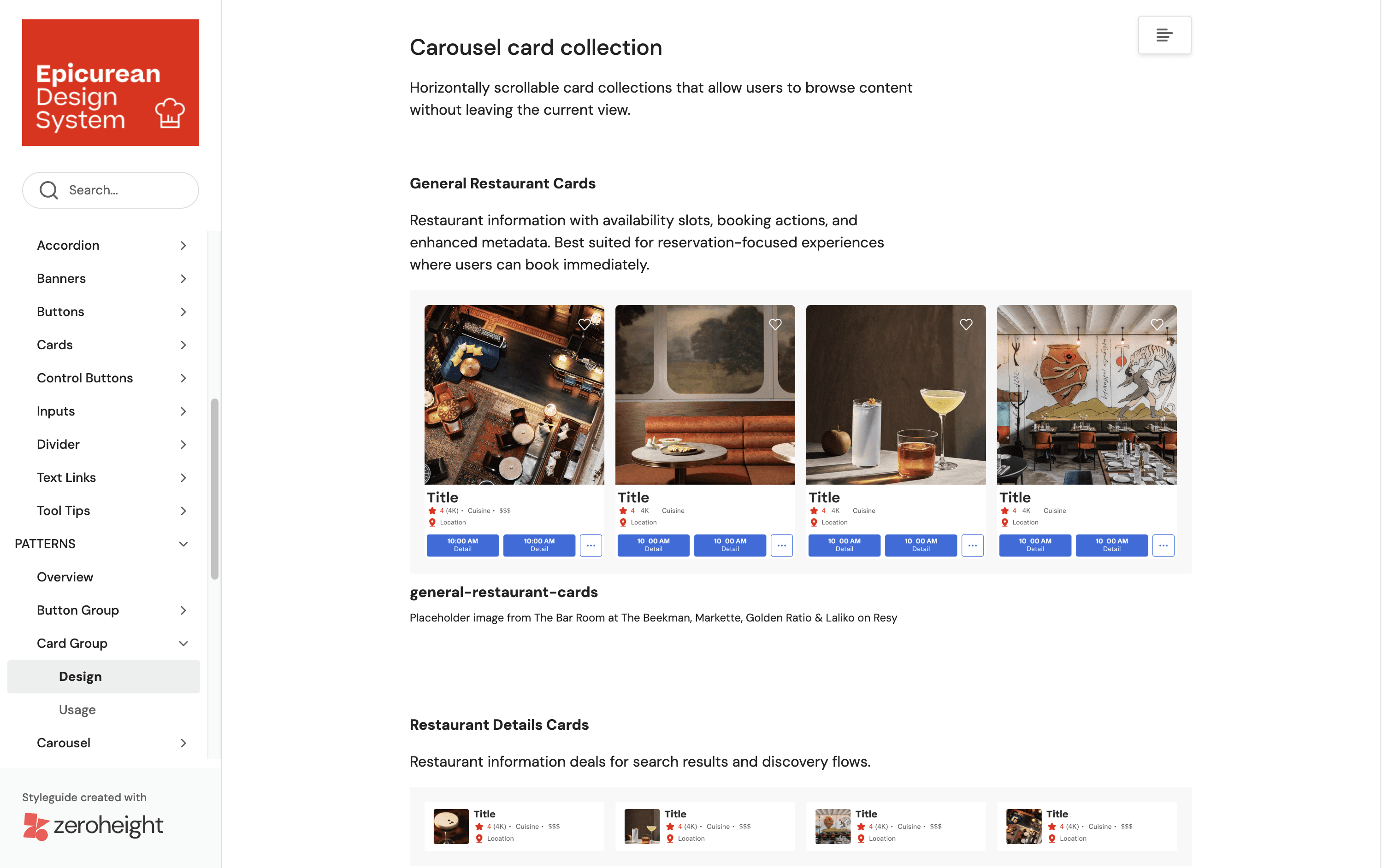
Created scalable components such as cards, banners and reusable interaction patterns such as carousels, card groups.
Created scalable components such as cards, banners and reusable interaction patterns such as carousels, card groups.


Step 4
Documented good practices on zeroheight
Documented good practices on zeroheight
Centralized guidelines to support consistent team adoption
Centralized guidelines to support consistent team adoption
To check the effectiveness of Epicurean, we did user testing with designers to recreate few screens with our UI Kit
To check the effectiveness of Epicurean, we did user testing with designers to recreate few screens with our UI Kit
Insight 1: Aligning components to the layout felt like guesswork without a grid.
Insight 1:
Aligning components to the layout felt like guesswork without a grid.
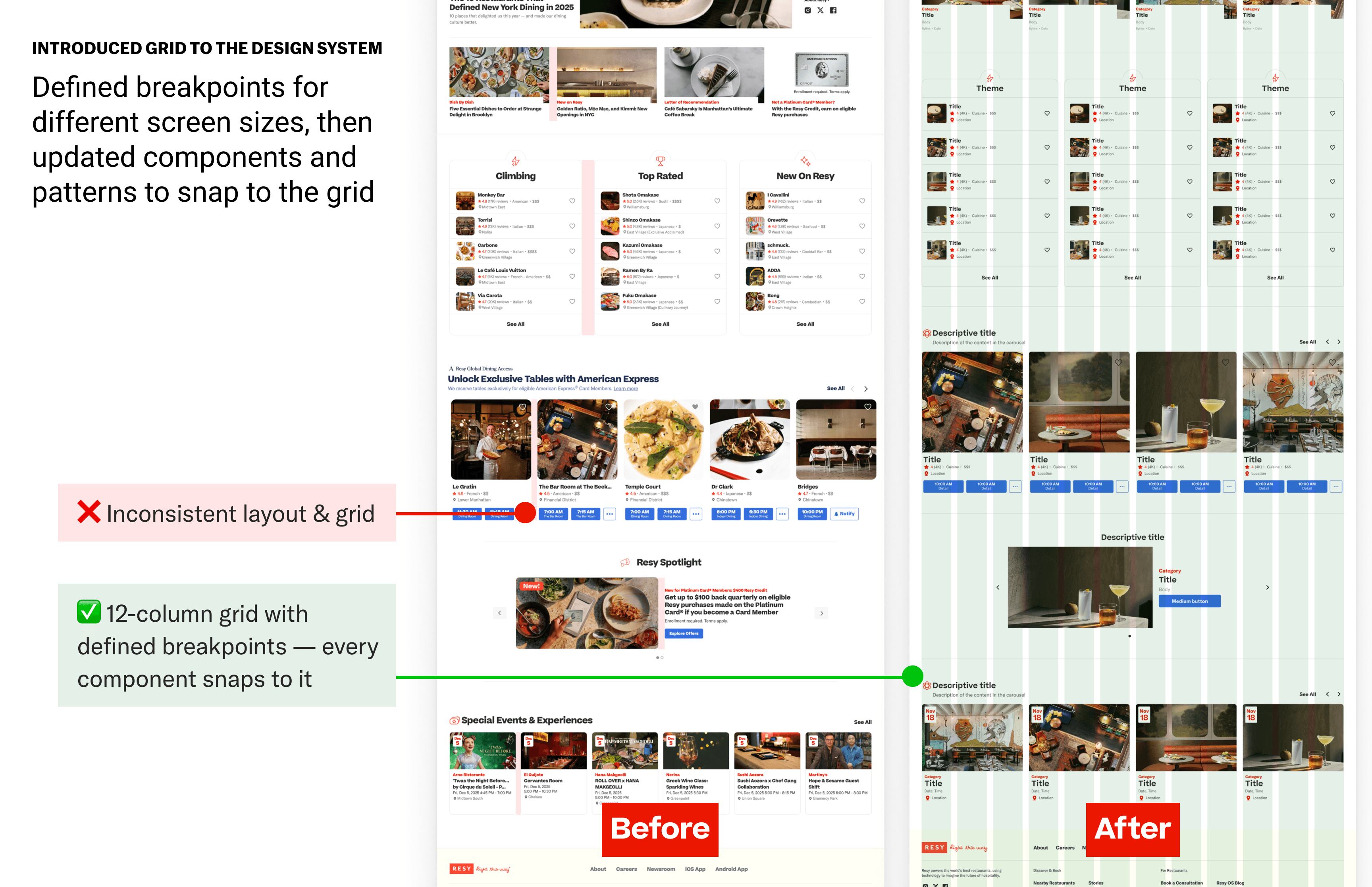
The components were flexible, but without a grid, maintaining consistent layouts was a challenge. To address this, we introduced a default grid with defined breakpoints for different screen sizes, then updated components and patterns to snap to the grid. This allows to build layouts faster and consistent.
The components were flexible, but without a grid, maintaining consistent layouts was a challenge. To address this, we introduced a default grid with defined breakpoints for different screen sizes, then updated components and patterns to snap to the grid. This allows to build layouts faster and consistent.
Insight 2: Building card group within carousel became challenging due to the number of card variation.
Insight 2:
Building card group within carousel became challenging due to the number of card variation.

Individual components were easy to customize, but grouping cards into carousels meant rebuilding the same layout by hand each time. The dedicated card group pattern fixes this. Drop it into any carousel placeholder and swap configurations directly from the properties panel.
Individual components were easy to customize, but grouping cards into carousels meant rebuilding the same layout by hand each time. The dedicated card group pattern fixes this. Drop it into any carousel placeholder and swap configurations directly from the properties panel.

Collaborating as a specialized infrastructure team to divide, conquer, and debate every system decisions
Collaborating as a specialized infrastructure team to divide, conquer, and debate every system decisions
I was part of a 3-person Design Infrastructure Team with Claire Jen and Myra Chen. We split the heavy lifting of token creation from the detailed work of component design, tracked workload together, and questioned every decision before it went into the system.
I was part of a 3-person Design Infrastructure Team with Claire Jen and Myra Chen. We split the heavy lifting of token creation from the detailed work of component design, tracked workload together, and questioned every decision before it went into the system.
I was part of a 3-person Design Infrastructure Team with Claire Jen and Myra Chen. We split the heavy lifting of token creation from the detailed work of component design, tracked workload together, and questioned every decision before it went into the system.

Looking Ahead: Our 2026 Roadmap
Looking Ahead: Our 2026 Roadmap
Looking Ahead:
Our 2026 Roadmap
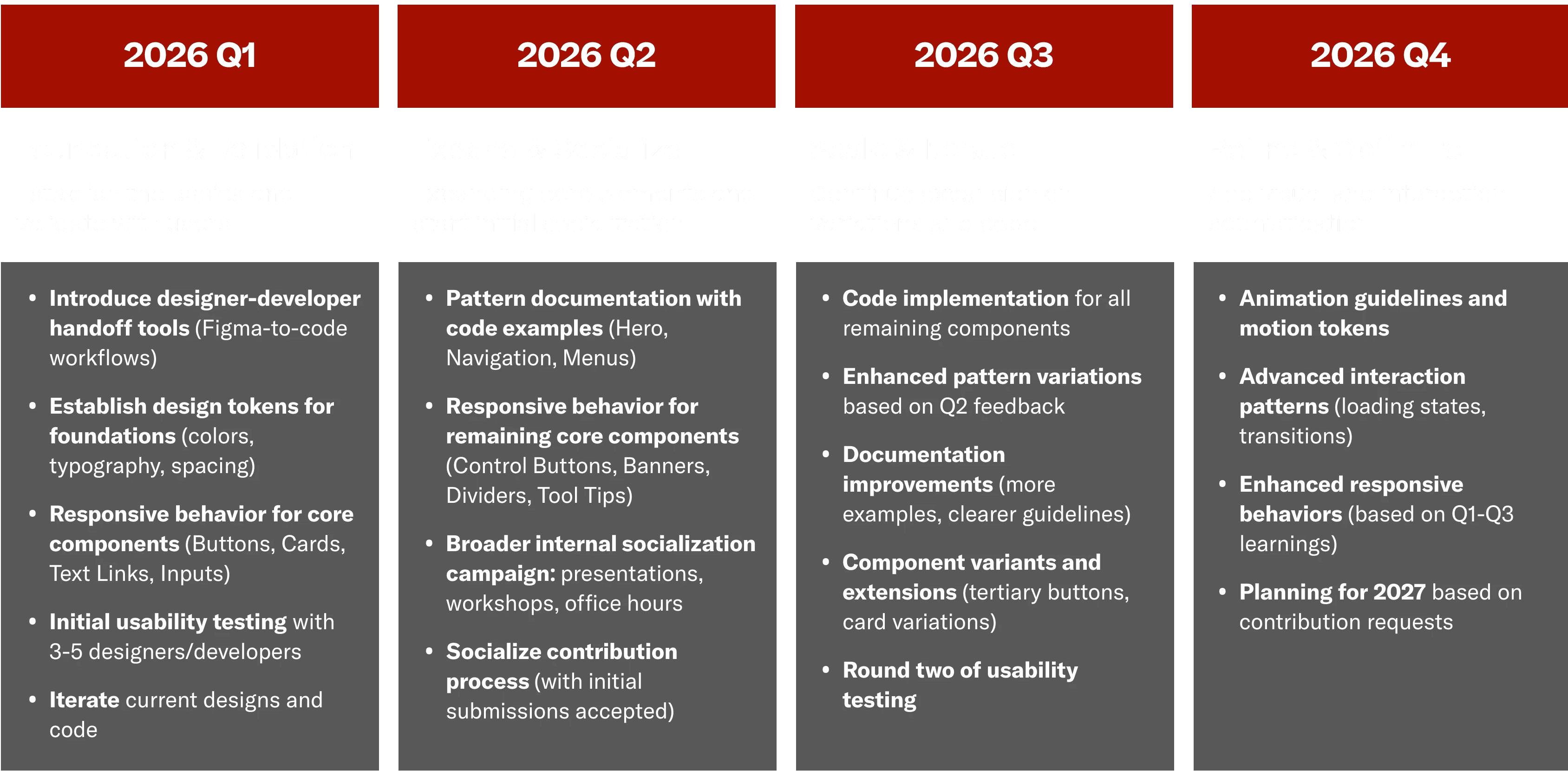
Q1 focuses on foundations: tokens, responsive components, and initial testing. Q2 is about expansion and getting teams on board. Q3 scales things up with advanced patterns and a second testing round. Q4 adds polish and plans for 2027.
Q1 focuses on foundations: tokens, responsive components, and initial testing. Q2 is about expansion and getting teams on board. Q3 scales things up with advanced patterns and a second testing round. Q4 adds polish and plans for 2027.
Impact
Impact
Impact
Three tiers, one shared language
Three tiers, one shared language

Reflection
Hardest part
Hardest part
Defining rules that allowed multiple designers and teams to work independently without fragmenting the Resy experience.
Defining rules that allowed multiple designers and teams to work independently without fragmenting the Resy experience.
What changed for me
What changed for me
Shifted my understanding of design systems from collection of components to a shared language that guides decision making. I was constantly challenged to think in terms of tokens, grids and accessibility standards.
Shifted my understanding of design systems from collection of components to a shared language that guides decision making. I was constantly challenged to think in terms of tokens, grids and accessibility standards.
What teamwork taught me
What teamwork taught me
The value of debate and alignment, building a design system for teams requires a system built by teams where decisions are questioned, tested and agreed on before they can scale.
Building Epicurean taught me that the best design system is about creating a shared language that empowers the entire team to build better products, faster.
Curious to dig deeper about Epicurean?
Curious to see more?
Dive into Epicurean UI kit and documentation.

© 2026- Shreesa Shrestha